
TRUSTED BY
AI that works across the entire benefits experience
The Lively AI Benefits Assistant helps HR and Benefits teams resolve issues, complete administrative work, and move faster. At the same time, Lively's AI-powered account holder experience helps employees confidently access and use their benefits.
One platform powers intelligent support for everyone.

Purpose-built for benefits
Lively AI Benefits Assistant is purpose-built for health and lifestyle benefits, not a generic AI tool.

Knows your organization
Uses employer-specific plans, permissions, and business rules to deliver contextual guidance.

Takes action
Completes repetitive workflows securely, not just conversations.

Native to Lively Axis platform
Built directly into the Lively Axis platform instead of relying on fragmented third-party AI vendors.
Work in plain language
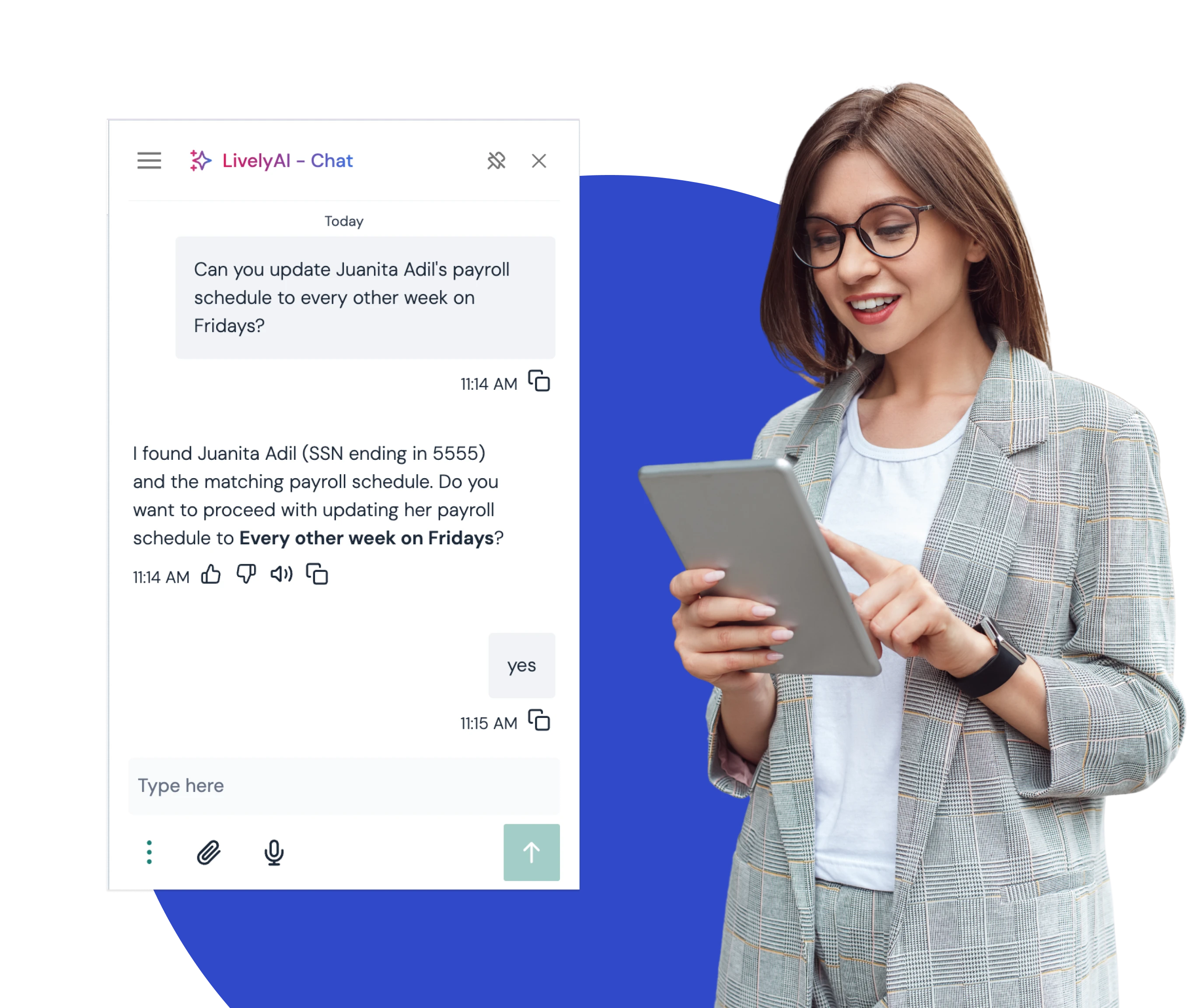
You shouldn't have to remember where every workflow lives or search through documentation to get simple work done. Just describe what you need in plain language. The Lively AI Benefits Assistant understands your request, applies your organization's plans and business rules, and helps you find the answer or complete the task.
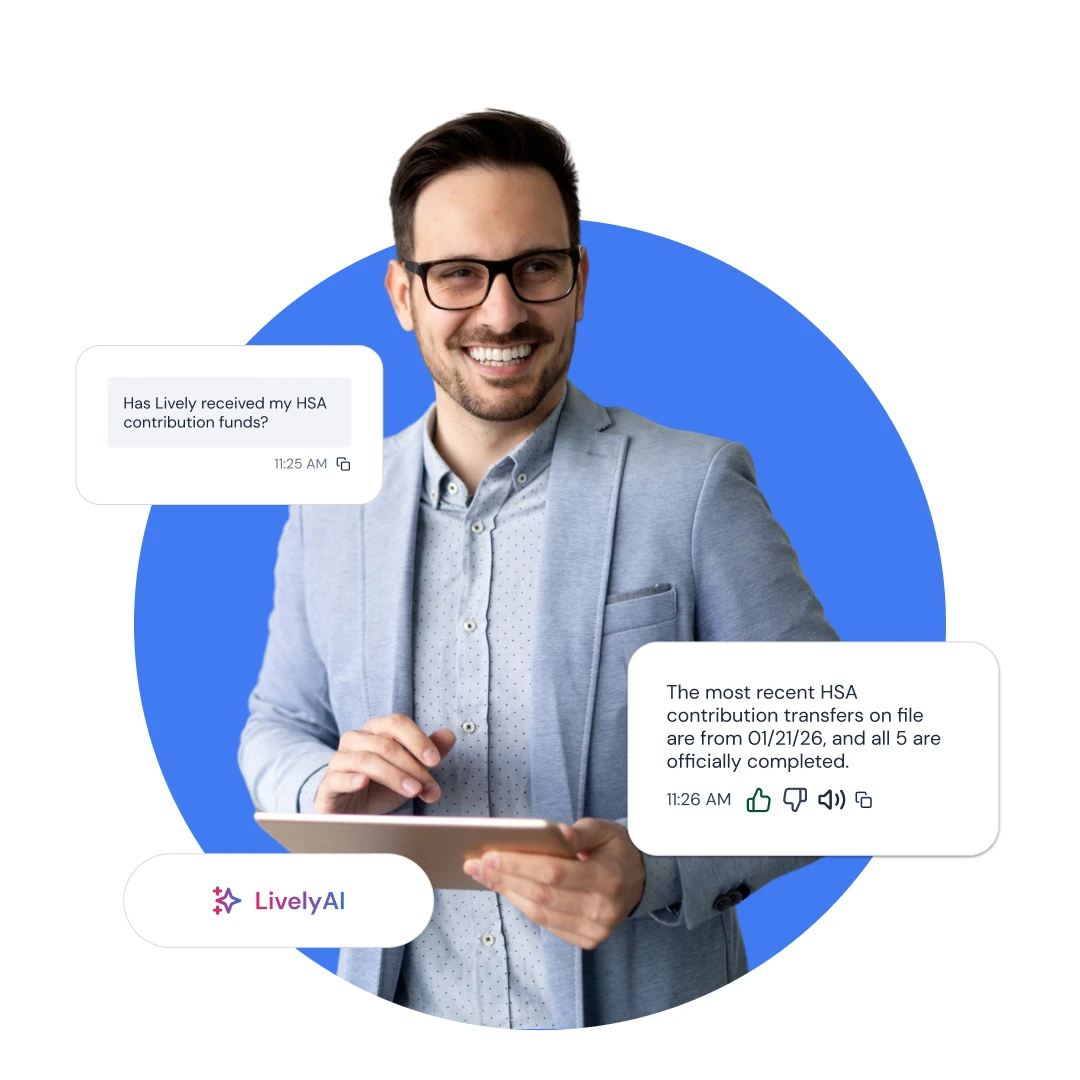
Troubleshoot issues by understanding why something happened and what to do next.
Take action by completing common administrative workflows securely within Lively.
Analyze your benefits program with on-demand reports, trends, and operational insights.
Less time reacting, more time leading
According to Lively's 2025 HR Time Spent Survey, Benefits teams can spend up to 30 hours every week resolving tickets, troubleshooting issues, and completing repetitive administrative work.
Benefits Assistant helps reduce that burden, freeing HR teams to focus on the work that's most meaningful for their employees, their organization, and their careers.
Reduce repetitive administrative work
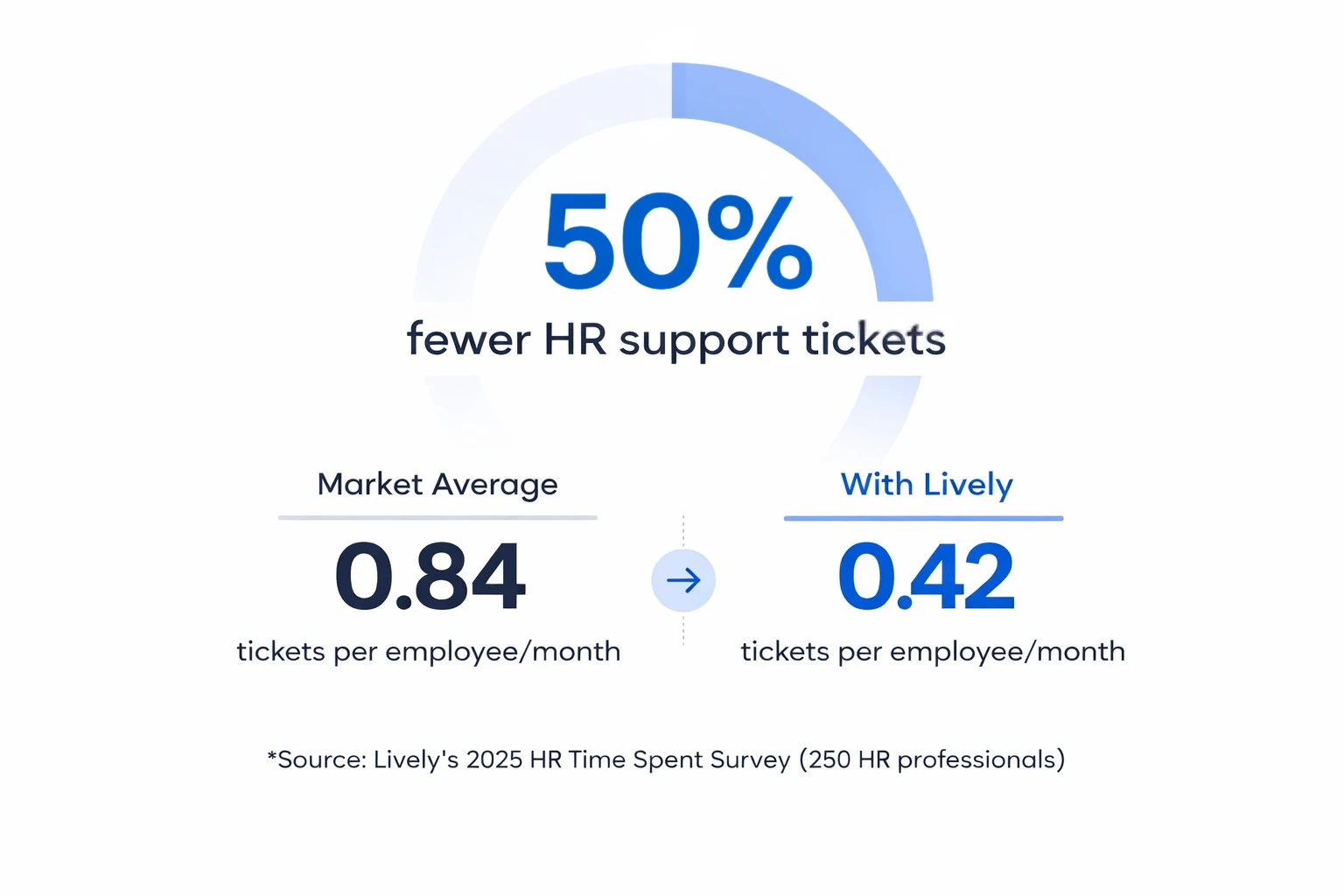
Fewer support tickets
Faster issue resolution
More time for strategic initiatives
Built for the work you do every day

EDI file processing
Upload, validate, troubleshoot, and correct enrollment and contribution files on the go with personalized guidance.

Enrollments and contribution
Get insight into file processing statuses, enrollments, where funds are in the process, and account readiness.

Administrative workflows
Update employees, process elections, terminate accounts, and more.

Custom reporting
Ask questions in plain language and instantly generate reports, charts, and exports. Schedule sends to relevant stakeholders.
Built for the work you do every day
EDI file processing
Upload, validate, troubleshoot, and correct enrollment and contribution files on the go with personalized guidance.
Enrollments and contribution
Get insight into file processing statuses, enrollments, where funds are in the process, and account readiness.
Administrative workflows
Update employees, process elections, terminate accounts, and more.
Custom reporting
Ask questions in plain language and instantly generate reports, charts, and exports. Schedule sends to relevant stakeholders.
See how much time your team could save
Low participation, employee confusion, and HR support demands can reduce the value of your benefits program and increase administrative workload.
Use this calculator to compare your current setup with industry benchmarks and outcomes employers often achieve after switching to Lively. In less than a minute, you can estimate potential tax savings, HR time reduction, and participation gains.
What this tool shows you:
Cost Comparison: See how your current costs stack up.
HR Time: Find out how many hours your team spends on support.
Tax Savings: See how much you save when more people sign up.
Run the calculator to see where you could save.
Disclaimer: This calculator provides illustrative estimates based on industry benchmarks and Lively’s internal data from FY23–FY25. Results are not guaranteed and may vary based on your company’s unique setup. This tool is for informational purposes only and does not constitute tax, legal, or financial advice. Lively disclaims any liability for decisions made in reliance on these estimates.
HR TEAMS LOVE LIVELY
Top rated on G2. Find out why.
Discover why employers give Lively five stars and read our reviews on G2.


HR TEAMS LOVE LIVELY
Top rated on G2. Find out why.
Discover why employers give Lively five stars and read our reviews on G2.
FOR EMPLOYERS, BROKERS & HR TEAMS
Looking to offer Lively to your employees or clients?
Fill out this form, and we’ll be in touch within one business day.
Note: If you are an individual account holder or need personal support, please visit our Help Center.
Who can use the Lively AI Benefits Assistant?
Anyone with an active Lively account can use it. HR and benefits admins use it in the employer dashboard to troubleshoot file issues, complete administrative workflows, and run reports. Account holders use it in their own accounts to get answers and complete self-service tasks.
What can HR and benefits teams do with the Lively AI Benefits Assistant?
HR and benefits teams describe what they need in plain language, and the assistant handles it. It troubleshoots issues by explaining what happened and what to do next. It completes workflows such as updating employees, processing elections, and terminating accounts. It also generates on-demand reports and trends on the benefits program.
What can account holders do with the Lively AI Benefits Assistant?
Account holders can ask questions about their own Lively account and complete self-service tasks, with a path to Lively support when they need a person. For details on HSA rules and features, see the Lively HSA page.
How does the Lively AI Benefits Assistant handle EDI file processing?
The assistant helps admins upload, validate, troubleshoot, and correct enrollment and contribution files. It shows file processing status, where funds are in the process, and account readiness.
How is it different from a generic AI tool like ChatGPT?
The assistant is purpose-built for health and lifestyle benefits and is native to Lively Axis, not a third-party add-on. It applies employer-specific plans, permissions, and business rules. It completes tasks securely inside Lively, so it does more than answer questions.
How much time can the Lively AI Benefits Assistant save HR teams?
According to Lively's 2025 HR Time Spent Survey, benefits teams can spend up to 30 hours a week resolving tickets, troubleshooting, and doing repetitive administrative work. The assistant reduces that load by answering questions, resolving issues, and completing routine workflows, so teams have more time for strategic work.
Can the Lively AI Benefits Assistant reduce support tickets?
Yes. The assistant reduces support tickets by answering routine questions at the moment employees ask them and by helping HR resolve issues faster. Complex cases can still go to a person.
Does it cost extra?
No. The Lively AI Benefits Assistant is included in the Lively Axis platform at no additional charge.