
Why offer an FSA
Why employers offer a flexible spending account
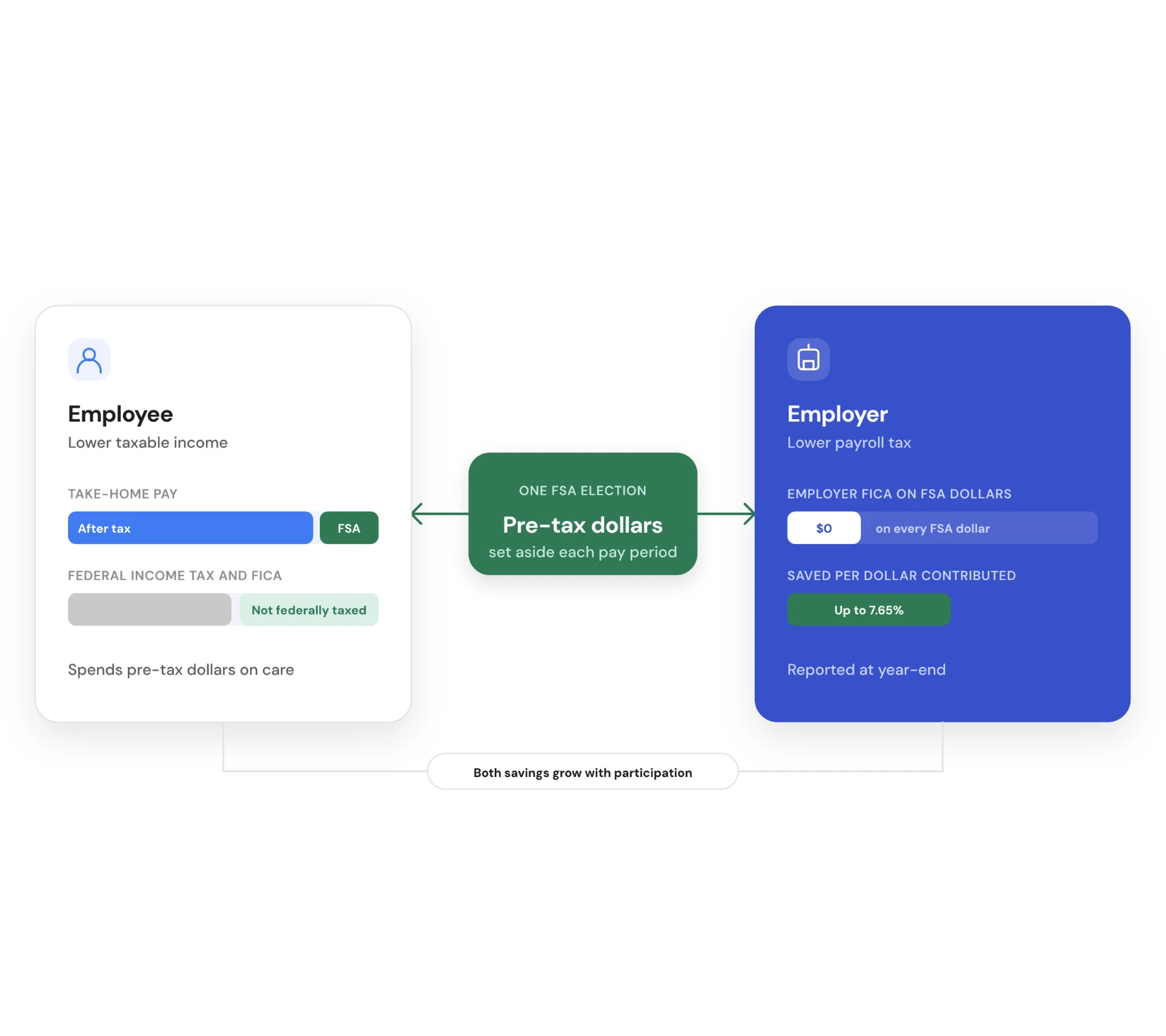
An FSA lowers taxes for your company and your employees at the same time. Employees set money aside before income and FICA tax, and employers pay no FICA payroll tax on those dollars. It works with any health plan you already offer.
With an FSA, employers can:
Save 7.65% in FICA payroll tax on every dollar employees contribute
Help employees pay less for copays, prescriptions, dental, vision, and daycare
Add a contribution or match to raise participation and the savings with it
Offer it with any health plan with no change to your medical carrier
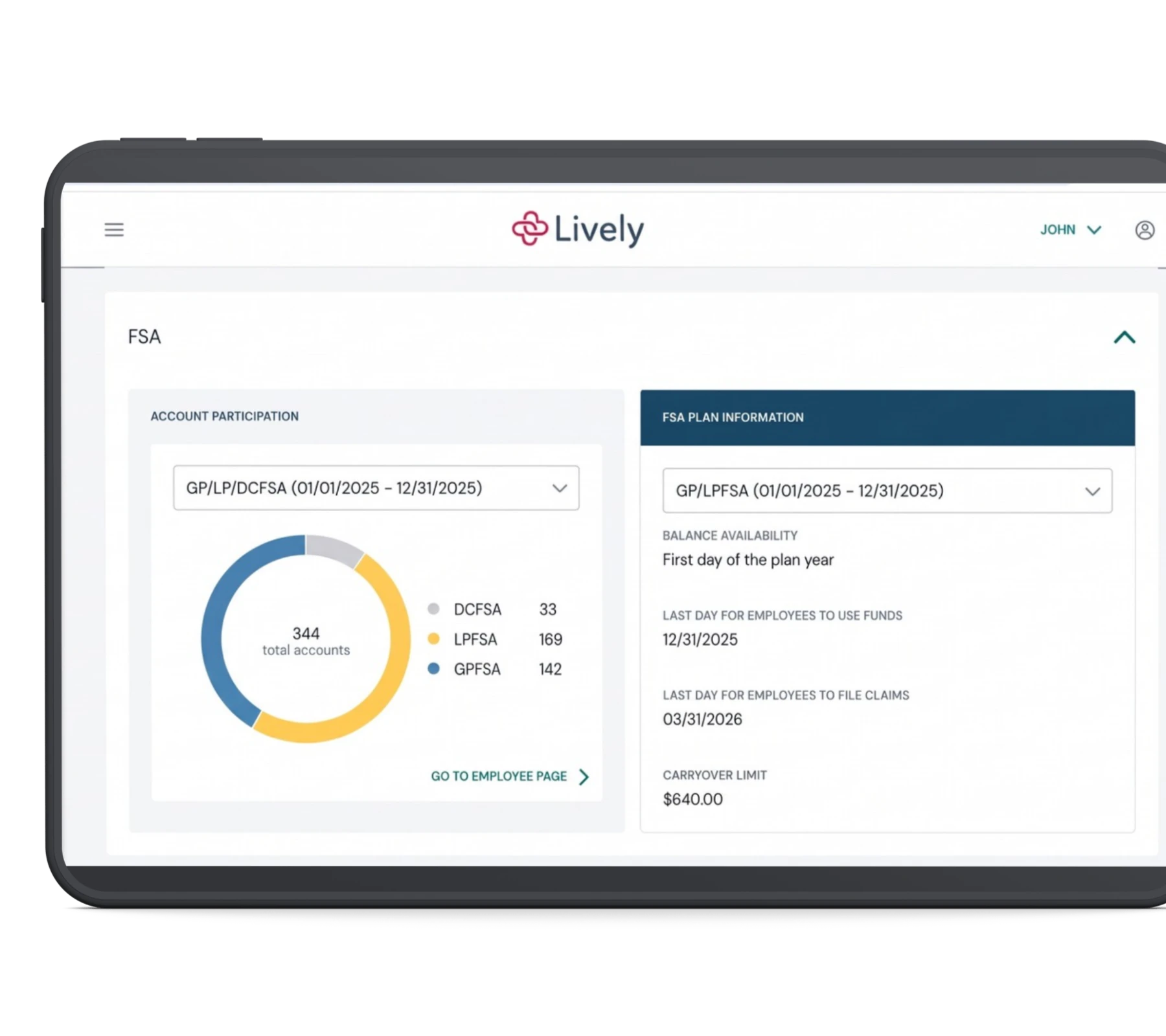
See the return in one report showing contributions, participation, and FICA savings
The more employees who use the plan, the larger the payroll tax savings. Lively's job is to make the plan one they use.
FSA administrator
Why choose Lively as your FSA administrator
An FSA delivers when employees can spend what they set aside and your team has one place to run the plan. Lively does both. Lively reviews and pays claims, verifies eligibility, and answers employee questions in multiple languages around the clock. The FSA runs on the same Lively-built platform as the HSA, HRA, LSA, and commuter accounts, and COBRA opens from the same login.

One card, all funds
Employees pay with the Smart Stacked Card, Lively’s debit card, and FSA dollars go before HSA dollar

Receipts handled
95% of card purchases are verified on the spot, so most employees receive see a receipt request.

Claims from a photo
Smart Claim Submission, Lively’s AI claim tool, reads a receipt and drafts the claim.

Expenses found for them
Claim Sync pulls eligible expenses from the employee’s health plan into their account.

Support
Every employer has a direct Lively contact, and groups of 250+ have a Customer Success Manager.
Types of FSAs
Three types of FSAs employers can offer
Lively administers all three FSA types, and you can offer one or combine them. The right mix depends on the health plans you offer and whether employees pay for child or adult care.
With Lively, employers can offer:
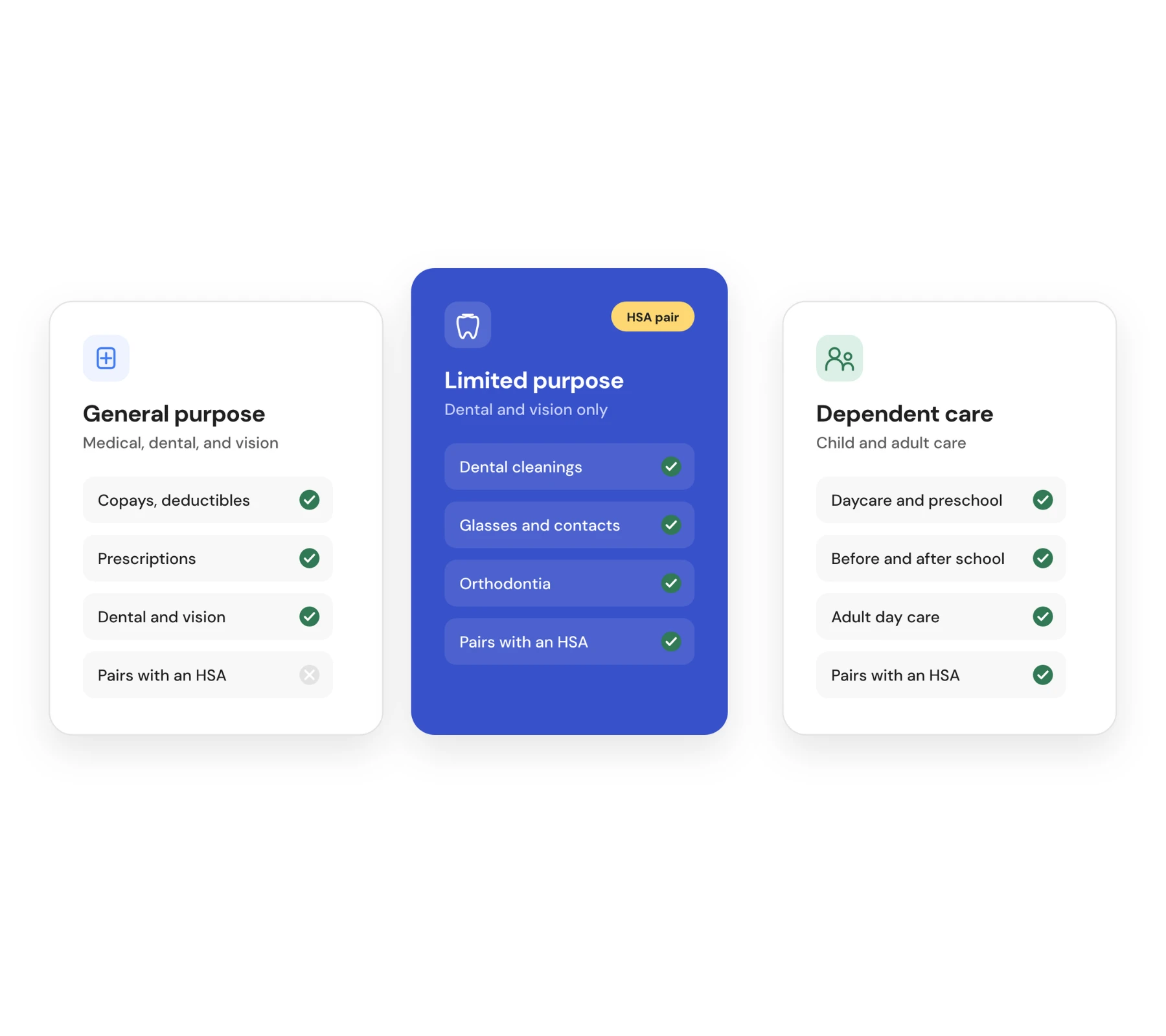
A general purpose FSA for eligible medical, dental, and vision costs, for employees on a plan without an HSA
A limited purpose FSA for dental and vision only, so employees who contribute to an HSA can use both
A dependent care FSA for care of a child under 13 or an adult dependent who cannot care for themselves
Your own plan rules for the limit, any employer contribution, and what happens to unused funds
Most employers who offer an HSA add a limited purpose FSA next to it, and both sit on one card and in one app.
FSA COMPLIANCE
What employers are responsible for with an FSA
Offering an FSA comes with a few IRS requirements. Lively handles or supports each one as part of administering the plan.
Responsibility | What the rule requires | How Lively supports it |
|---|---|---|
Written plan | An FSA runs under a written plan document, called a Section 125 plan. | Lively sets up the FSA to match the terms in your plan document. |
Nondiscrimination testing | The plan cannot favor higher-paid employees or owners over everyone else. | Lively runs the tests on request, as often as you want, and returns results within a week. |
Dependent care FSA testing | A dependent care FSA has its own eligibility and benefits tests. | Lively runs these alongside the health FSA tests in the same request. |
Day-one access | Employees can spend their full yearly health FSA amount on the first day of the plan year. | A reserve covers early claims. It holds 5% of total yearly amounts with weekly refills, or 15% with monthly refills. |
Payroll deductions | Deductions must match the amount each employee chose, spread across pay periods. | Lively calculates deductions for each pay cycle and marks any payroll file field that needs a fix. |
Unused funds | Forfeited health FSA funds stay with the employer's plan unless it includes a carryover or a grace period. | Lively applies your year-end rule, reminds employees before the deadline, and reports the full year. |
For 2026, a carryover can move up to $680 into the next plan year, and a grace period can run up to 2 months and 15 days after it ends. A run-out period gives employees extra time after the plan year ends to send in claims from that year. Lively applies carryovers once the run-out window closes, and year-end reporting covers contributions, claims, forfeitures, and FICA savings. Test results come with the steps to adjust the plan if a test calls for it.
Testing early in the plan year leaves time to make any change the results call for, and Lively's report lists the changes.
Switch FSA providers
How to switch FSA providers to Lively
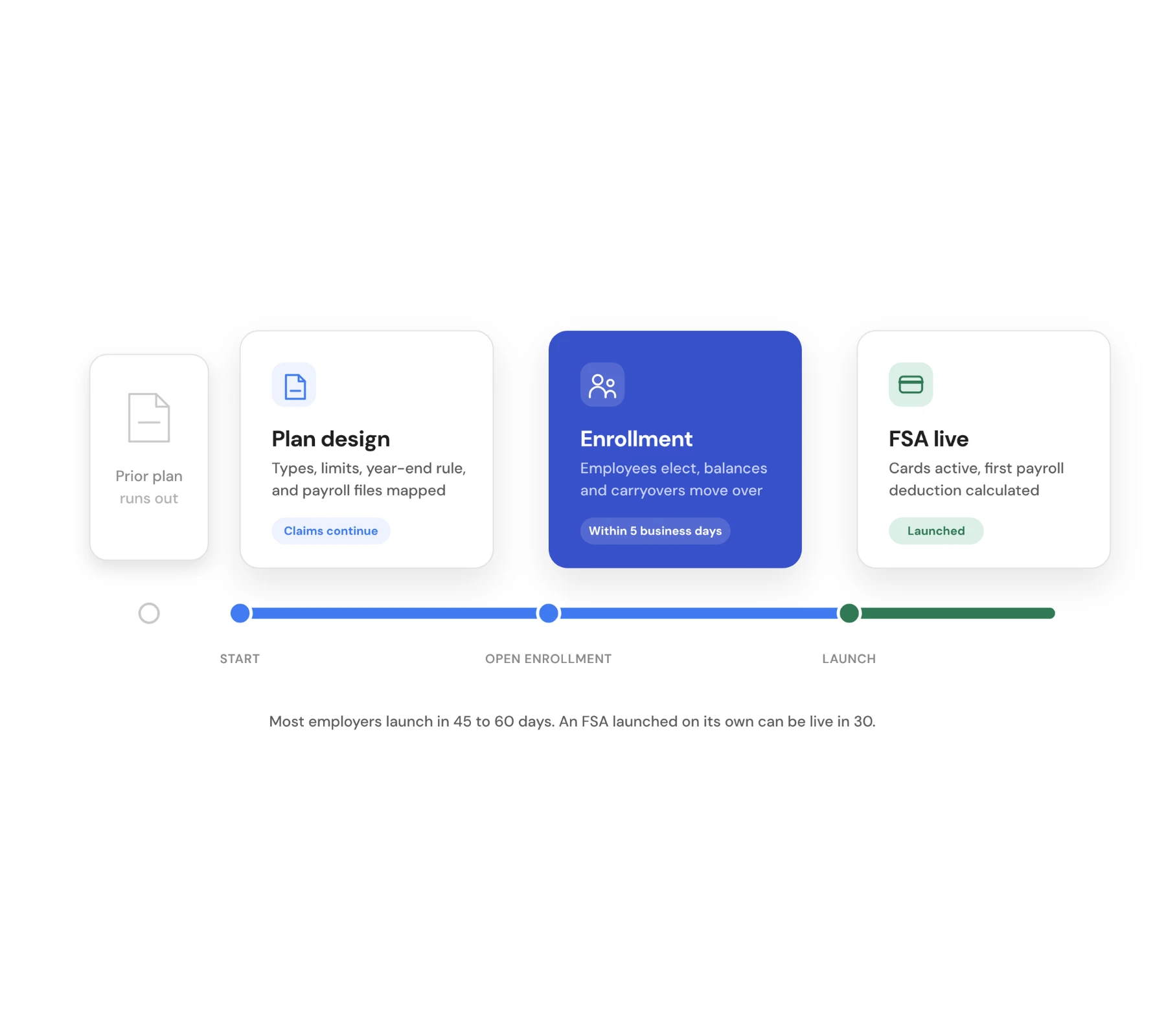
Switching an FSA to Lively takes 45 to 60 days for most employers, and an FSA launched on its own can be live in 30. Employees keep filing claims the whole way through.
When you switch to Lively, you can:
Keep the old plan year open while its final claims are paid and Lively sets up the new one
Move carryover balances within 5 business days of Lively receiving the final balances from your prior plan
Switch mid-year with each employee's yearly amount and balance carried over, so the plan continues without a gap
Work with one direct contact through the transition, and a Customer Success Manager at 250 or more employees
The simplest switch starts before open enrollment. Send us your renewal date and Lively builds the timeline back from there.
FSA AND HSA
Can employers offer both an FSA and an HSA?
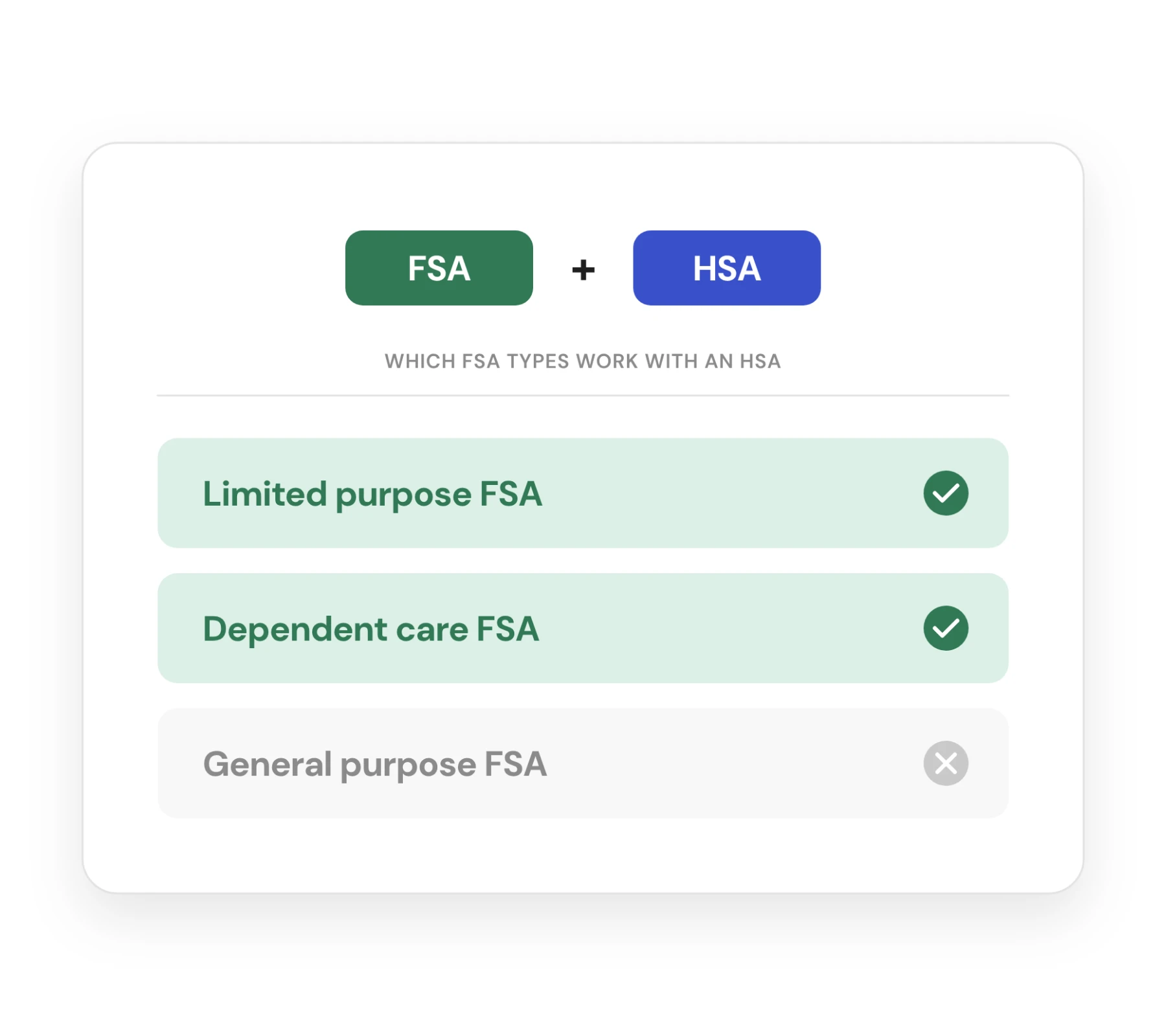
Yes, with the right type of FSA. An employee enrolled in an HSA-eligible health plan can pair their HSA with a limited purpose FSA or a dependent care FSA, but not a general purpose FSA. The HSA belongs to the employee and stays with them if they change jobs, while the FSA is an employer-sponsored plan tied to their current employer.
With Lively, employees can:
Pair an HSA with a limited purpose FSA for dental and vision costs
Add a dependent care FSA to either an HSA or a general purpose FSA
Hold both accounts in one app and on one card, with FSA dollars spent first
Keep HSA savings invested while pre-tax FSA dollars cover the year's care
Employees enrolled in a general purpose FSA cannot contribute to an HSA in the same period. Offering both gives every employee a pre-tax account that fits their health plan.


CALCULATOR
FSA savings calculator
See what an employee saves at any contribution amount and tax rate.

What's Eligible
FSA eligible expenses
Search FSA-eligible products and services by name before buying.
FSA FAQs
Frequently Asked Questions (FAQ)
How much does an FSA save an employer?
Employers pay no FICA payroll tax, 7.65%, on the money employees contribute to an FSA. The total depends on how many employees enroll and how much they elect. Lively's employer reports show contributions and FICA savings for the plan year, so the figure is ready when leadership asks.
What happens to unused FSA funds at year-end?
Unused health FSA funds stay with the employer's plan unless the plan includes a carryover or a grace period. For 2026, a carryover can move up to $680 into the next plan year, and a grace period can run up to 2 months and 15 days. A run-out period gives employees extra time to submit claims for the prior year. Lively applies whichever rules are in your plan.
Does Lively administer dependent care FSAs?
Yes. Lively administers Dependent Care FSAs alongside Healthcare and Limited Purpose FSAs. Employers define eligibility, contribution schedules, and plan rules, while Lively manages participant claims, expense verifications, and applicable nondiscrimination testing
Does Lively run FSA nondiscrimination testing?
Yes. Lively conducts comprehensive nondiscrimination testing for Healthcare and Dependent Care FSAs upon employer request as often as needed throughout the plan year. Results and recommended corrective actions are delivered within one week of census data verification.
Does Lively work with our payroll provider?
Yes. Lively works directly with your existing payroll and enrollment file formats through File Sync, as well as via direct API integrations with platforms like Ease, Employee Navigator, and Selerix. Lively’s smart payroll logic calculates accurate deductions across every pay period.
How long does it take to switch FSA providers to Lively?
Most employers are live in 45 to 60 days, and an FSA launched on its own can be live in 30. Your current administrator usually finishes the old plan year's claims while Lively sets up the new one. Carryover balances are added within 5 business days of Lively receiving the final balances.
Can we switch FSA administrators mid-year?
Yes. Lively takes on FSAs mid-year as well as at renewal. Each employee's yearly amount and balance move to Lively, employees keep their plan year, and the prior administrator finishes the claims it already received.
Why should an employer offer a flexible spending account?
An FSA lowers payroll taxes (FICA) for your organization, reduces taxable income for participating employees, and strengthens your overall benefits package to attract and retain top talent.
What are an employer's compliance responsibilities with an FSA?
An employer must keep a written plan document, offer the FSA under a Section 125 cafeteria plan, and make sure the plan passes nondiscrimination testing. The administrator handles claims and daily operations. Lively runs nondiscrimination testing on request and reports what to adjust.
Which FSA type should we offer: general purpose, limited purpose, or dependent care?
Many employers offer a general purpose FSA (2026 limit $3,400) and add a dependent care FSA (2026 limit $7,500) for childcare and adult care costs. A limited purpose FSA, which covers dental and vision only, suits employees who also have an HSA. Lively administers all three types.
Can we offer an FSA to part-time employees, and who is eligible?
Yes, employers can offer an FSA to part-time employees. The employer sets eligibility, such as hours worked or length of service, in the plan document, within nondiscrimination rules. Lively builds eligibility into plan setup and runs testing on request.
What does an employer need to provide to launch an FSA?
To launch an FSA, an employer provides the plan year dates, plan design choices, eligibility rules, and enrollment and payroll files. Lively works from the files you already produce or connects through Ease, Employee Navigator or Selerix. Most implementations take 45 to 60 days.
What should we look for when choosing an FSA administrator?
Look for clear pricing, payroll and HRIS integrations, fast claims handling, useful employer reporting, strong support and a realistic implementation timeline
FOR EMPLOYERS, BROKERS & HR TEAMS
Looking to offer Lively to your employees or clients?
Fill out this form, and we’ll be in touch within one business day.
Note: If you are an individual account holder or need personal support, please visit our Help Center.