
The Lively Blog
SIGN UP FOR OUR
Newsletter
Stay up to date on the latest news delivered straight to your inbox
7 Ways AI Simplifies Employee Health Spending Through HSAs
Lively Team · August 7, 2026 · 7 min read
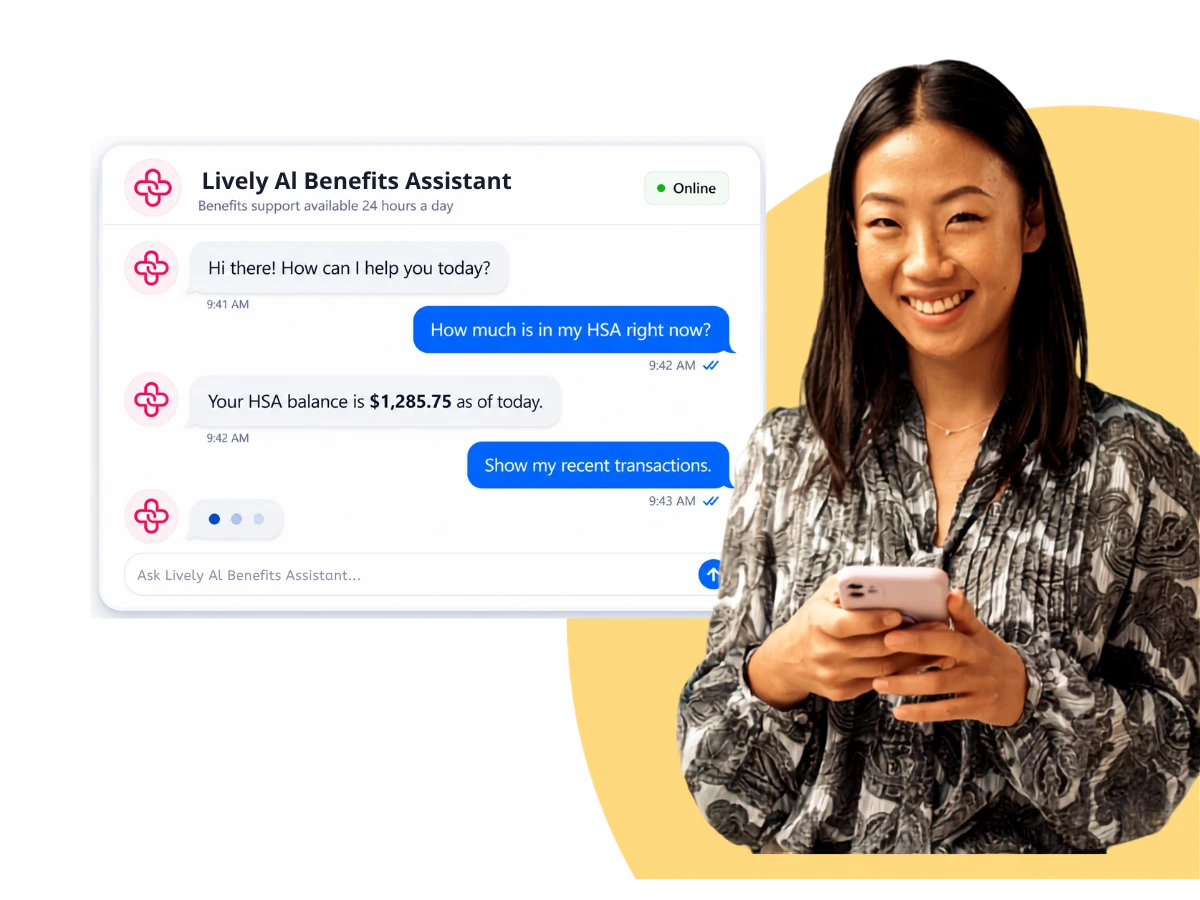
AI simplifies employee health spending in HSAs by answering account-specific questions the moment an employee has one, confirming whether an expense is eligible before money moves, and automating the processing work behind contributions and claims. Employees use their health savings accounts more deliberately, and the administration behind them runs with less manual correction.
For brokers and benefits consultants, AI has become a real point of separation between health savings accounts. Platforms used to differentiate on fees and investment lineup. What a platform's AI can actually do now shows up in employee behavior and in employer administrative load, which makes it an evaluation criterion rather than a marketing line.
Seven capabilities drive most of that difference.
1. Answering employee questions from their own account data
AI answers employee HSA questions using that employee's account data rather than general help content. When someone asks about an available balance, the status of a pending claim, or whether a past expense still qualifies for reimbursement, the response reflects their actual account, plan configuration, and contribution history.
An accurate answer only helps if it arrives before the decision. Employees choose whether to use HSA funds in the moment, without plan documents in front of them, so guidance delivered after the purchase changes nothing.
Self-service resolution shows up in support volume. On Lively's platform, support ticket volume runs at 0.42 tickets per employee per month, down from 0.84, a 50% reduction.
For a consultant, account-level question handling is the capability that most directly changes an employer's day-to-day administration.
2. Confirming expense eligibility before a purchase
Pre-purchase eligibility checks tell an employee whether an expense qualifies before they spend, rather than after a claim is filed. The check runs against IRS rules and the employer's specific plan configuration and returns an answer in seconds.
Uncertainty is expensive. An employee who cannot confirm eligibility carries the risk personally, so the safe choice is paying out of pocket and leaving the HSA balance untouched. Across a plan year, that pattern shows up as low utilization on a benefit the employer is fully funding.
Utilization is the measure employers use to judge whether the benefit is delivering value, which makes pre-purchase eligibility a direct input to the renewal conversation a consultant has with a client.
3. Automating claim submission and reimbursement
AI removes manual data entry from the claim process. An employee photographs a receipt, and the system reads the vendor, date, amount, and expense category, then files the claim without a form.
Claim automation covers:
Receipt capture and data extraction from an image
Expense categorization for recordkeeping and tax documentation
Claim status visibility without a support request
Reimbursement records retained for substantiation
Reimbursement speed changes how employees regard the account. Consultants recommending a high-deductible plan paired with an HSA are asking employees to front cash for care, and how quickly that money comes back is what makes the arrangement workable.
4. Validating contribution and enrollment files
AI validates employer contribution and enrollment files as they arrive rather than after a downstream failure surfaces. Files move between the HRIS, payroll, and the HSA administrator on a recurring schedule, and a single malformed record has historically meant a rejected batch and a full resubmission.
Record-level validation identifies the specific field that failed, so a correction takes minutes. Administrators keep direct control over exception cases, where their judgment carries the most weight.
File handling is the least visible part of an implementation and a common source of a client's first negative experience with a new administrator, which makes it worth asking about directly during evaluation.
5. Monitoring contributions against IRS limits
AI monitors each employee's contributions against the IRS maximum that applies to them and flags an account approaching that limit before an excess contribution occurs. Annual maximums vary by coverage type and by age, and the figures change year to year.
Manual tracking breaks down in predictable places:
Mid-year enrollment changes
Coverage tier changes that alter the applicable limit partway through the year
Catch-up eligibility for employees age 55 and over
Multiple payroll cycles feeding the same account
Excess contributions create a correction process for the employee and exposure for the employer. Automated limit monitoring functions as a risk control, which places it directly in the evaluation criteria a broker applies on a client's behalf.
6. Reporting on demand for plan design decisions
AI reporting lets an administrator ask a question in ordinary language and get an answer built from account data, without constructing a query or waiting for a scheduled export.
Questions that previously waited for a reporting cycle can be answered when they come up:
Which departments have the lowest enrollment
Where employees are spending across expense categories
Whether contribution matching is driving the participation it was meant to
How utilization is tracking against the prior plan year
Employers who can see utilization on demand make plan design decisions from actual usage. Consultants gain the same visibility, which supports a renewal recommendation built on client-specific evidence rather than book-of-business averages.
7. Routing to a person when the AI cannot resolve the question
AI routes unresolved questions to a specialist rather than looping the employee through automated responses. Complex situations occur regularly, including a contested claim, a coverage change with tax implications, or an account issue tied to a life event.
The design of that handoff separates platforms more than the AI itself does. A platform that escalates into a general queue produces a worse experience than no automation at all, because the employee has already spent time before reaching a person.
Lively pairs AI-assisted support with US-based benefits specialists rather than treating automation as the full support model. The Lively AI Benefits Assistant draws on that employee's own account data and their employer's plan configuration, which is what lets it answer a balance or eligibility question specifically rather than generally. Questions it cannot resolve reach a specialist who already has the account context.
What should brokers evaluate in an HSA platform that uses AI?
AI capability varies widely between platforms, and the variation is not visible in a feature list. Five questions separate them.
Question to ask | What a strong answer looks like |
Does the provider build and maintain its own technology, or license it? | Owns and maintains the platform, so changes do not depend on a third party's roadmap |
What does the AI have access to? | The employee's actual account data and the employer's plan configuration, not general plan documents |
How does the platform handle a question the AI cannot resolve? | Direct routing to a specialist, with a stated availability window |
How does it connect to the client's HRIS and payroll systems? | Established integrations with record-level file validation |
What outcomes can the provider document? | Named metrics with a stated measurement period, not capability descriptions |
Ownership predicts the other four. A provider that owns its platform can change it. A provider licensing a third-party AI layer depends on another company's roadmap for support quality and integration depth.
AI as an evaluation criterion
The five questions above give a faster read on a platform's AI than a feature comparison will, because they test what the system can access and what happens when it fails. For consultants advising employer clients, those are the answers that hold up through a renewal cycle.
See how Lively uses AI in HSA administration
How does AI simplify employee health spending?
AI gives employees an accurate answer at the moment of a spending decision. They confirm whether an expense qualifies before purchasing, submit a receipt without paperwork, and check reimbursement status directly.
What should employers look for in an HSA platform that uses AI?
Whether the provider owns its technology, whether the AI works from actual account data rather than general documents, how quickly a person becomes available for complex questions, how the platform integrates with existing HRIS and payroll systems, and what outcomes the provider can document with a stated measurement period.

Benefits
2026 Maximum HSA Contribution Limits
Lively · February 1, 2025 · 2 min read
For 2026, the HSA contribution limits are $4,400 for individual coverage and $8,750 for family coverage. These limits increased from 2025, when the caps were $4,300 and $8,550. If you’re age 55 or older, you can still contribute an additional $1,000 as a catch-up contribution.

Benefits
What is the Difference Between a Flexible Spending Account and a Health Savings Account?
Lauren Hargrave · February 9, 2024 · 12 min read
A Health Savings Account (HSA) and Healthcare Flexible Spending Account (FSA) provide up to 30% savings on out-of-pocket healthcare expenses. That’s good news. Except you can’t contribute to an HSA and Healthcare FSA at the same time. So what if your employer offers both benefits? How do you choose which account type is best for you? Let’s explore the advantages of each to help you decide which wins in HSA vs FSA.

Health Savings Accounts
Ways Health Savings Account Matching Benefits Employers
Lauren Hargrave · October 13, 2023 · 7 min read
Employers need employees to adopt and engage with their benefits and one way to encourage employees to adopt and contribute to (i.e. engage with) an HSA, is for employers to match employees’ contributions.
Benefits
2026 Maximum HSA Contribution Limits
Lively · February 1, 2025 · 2 min read
For 2026, the HSA contribution limits are $4,400 for individual coverage and $8,750 for family coverage. These limits increased from 2025, when the caps were $4,300 and $8,550. If you’re age 55 or older, you can still contribute an additional $1,000 as a catch-up contribution.
Benefits
What is the Difference Between a Flexible Spending Account and a Health Savings Account?
Lauren Hargrave · February 9, 2024 · 12 min read
A Health Savings Account (HSA) and Healthcare Flexible Spending Account (FSA) provide up to 30% savings on out-of-pocket healthcare expenses. That’s good news. Except you can’t contribute to an HSA and Healthcare FSA at the same time. So what if your employer offers both benefits? How do you choose which account type is best for you? Let’s explore the advantages of each to help you decide which wins in HSA vs FSA.
Health Savings Accounts
Ways Health Savings Account Matching Benefits Employers
Lauren Hargrave · October 13, 2023 · 7 min read
Employers need employees to adopt and engage with their benefits and one way to encourage employees to adopt and contribute to (i.e. engage with) an HSA, is for employers to match employees’ contributions.
SIGN UP FOR OUR
Newsletter
Stay up to date on the latest news delivered straight to your inbox